
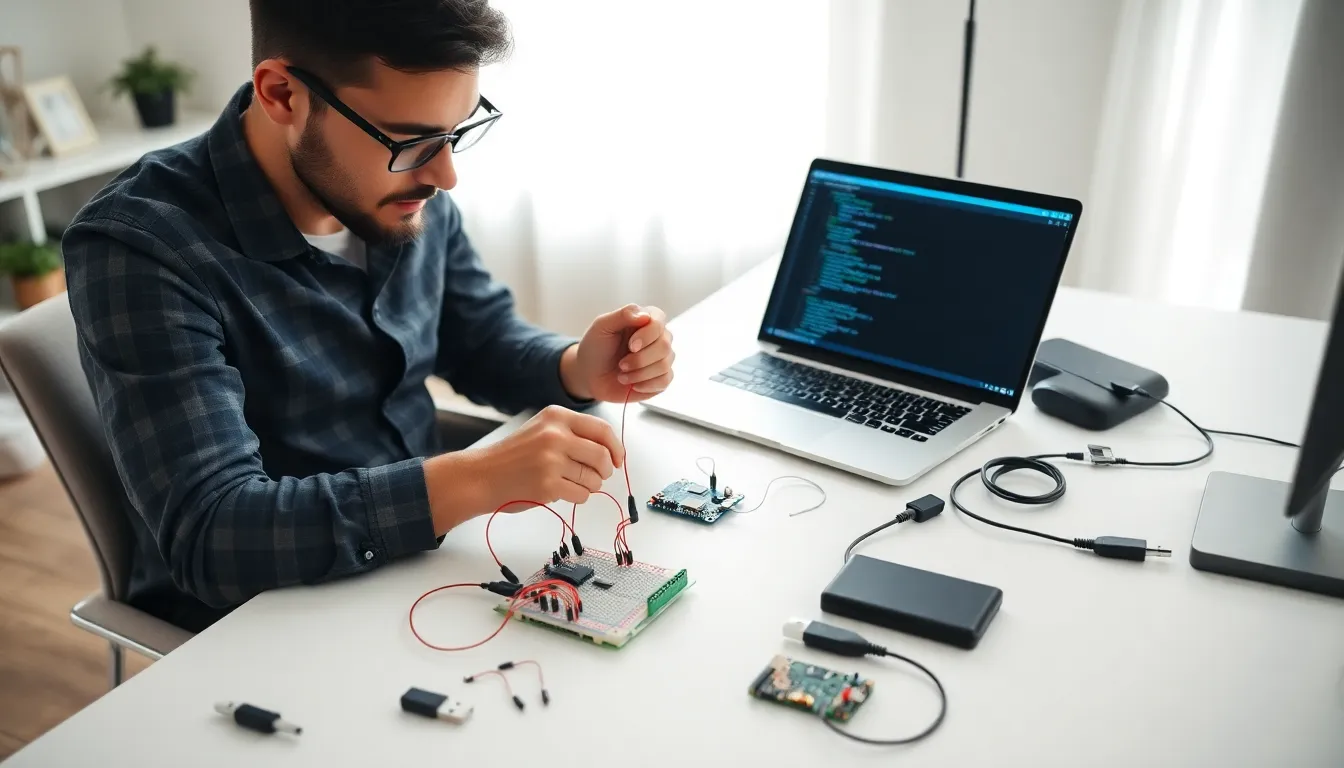
Learning how to Internet of Things begins with understanding what connects your smart devices. The Internet of Things (IoT) refers to the network of physical objects that communicate with each other through sensors and software. From smart thermostats to fitness trackers, IoT devices now exist in millions of homes and businesses worldwide.
This guide breaks down the basics of IoT for beginners. Readers will learn what components they need, how to set up their first device, and how to solve common problems. Whether someone wants to automate their home or build a custom sensor project, this article provides a clear starting point.
Table of Contents
ToggleKey Takeaways
- Learning how to Internet of Things starts with understanding the four essential components: microcontrollers, sensors, connectivity hardware, and a power source.
- IoT devices work by collecting sensor data, transmitting it to a cloud or hub, and triggering automated actions based on preset rules.
- Beginner-friendly starter kits costing $30–$100 provide an affordable way to build your first IoT project with included microcontrollers and sensors.
- Common IoT challenges like WiFi drops, battery drain, and security vulnerabilities can be solved with static IPs, adjusted reporting intervals, and separate networks.
- Over 15 billion IoT devices were active globally in 2024, with projections reaching 30 billion by 2030 across consumer, healthcare, and industrial applications.
- Setting up an IoT device follows a six-step process: gather materials, connect hardware, install libraries, upload code, test the system, and deploy.
What Is the Internet of Things
The Internet of Things describes a system where everyday objects connect to the internet and share data. These objects include appliances, vehicles, wearables, and industrial equipment. Each device contains sensors, processors, and communication hardware that allow it to send and receive information.
IoT technology works through a simple process. A sensor collects data from its environment, temperature, motion, light, or sound. The device then transmits this data to a central hub or cloud platform. Software analyzes the information and triggers actions based on preset rules.
Consider a smart home thermostat as an example. The device measures room temperature every few minutes. It sends this data to a smartphone app. The homeowner can then adjust heating settings remotely, or the system can learn preferences and make automatic changes.
The IoT market continues to grow rapidly. Experts estimate that over 15 billion IoT devices were active globally in 2024, with projections reaching 30 billion by 2030. This growth spans consumer products, healthcare monitoring, agricultural sensors, and manufacturing systems.
Understanding how to Internet of Things applications work helps users make better purchasing decisions. It also opens doors to DIY projects that can save money and increase convenience.
Essential Components for Your First IoT Project
Starting an IoT project requires four main components: a microcontroller, sensors, connectivity hardware, and a power source. Each piece plays a specific role in making a device function properly.
Microcontrollers
A microcontroller acts as the brain of an IoT device. Popular options include Arduino boards, Raspberry Pi, and ESP32 modules. Arduino works well for beginners because of its simple programming interface. Raspberry Pi offers more processing power for complex projects. ESP32 provides built-in WiFi and Bluetooth at a low cost.
Sensors
Sensors determine what data the device can collect. Temperature sensors measure heat. Motion sensors detect movement. Light sensors respond to brightness changes. Humidity sensors track moisture levels. Most beginner kits include several sensor types for experimentation.
Connectivity Options
IoT devices need a way to communicate. WiFi suits most home projects because of its range and speed. Bluetooth works for short-distance connections. Zigbee and Z-Wave offer low-power alternatives for battery-operated devices. Cellular modules enable connectivity in remote locations.
Power Sources
Power options depend on the project location. USB connections work for stationary devices near outlets. Batteries suit portable or outdoor projects. Solar panels provide renewable power for remote sensors.
Budget-conscious beginners should consider starter kits. These packages typically cost between $30 and $100 and include a microcontroller, several sensors, cables, and basic instructions. They offer an affordable way to learn how to Internet of Things projects come together.
Setting Up Your IoT Device Step by Step
Setting up an IoT device follows a predictable pattern. This section walks through the process using a common home temperature monitoring project.
Step 1: Gather Materials
Collect the microcontroller (such as an ESP32), a temperature sensor (like the DHT22), jumper wires, a breadboard, and a USB cable. Also download the Arduino IDE software to the computer.
Step 2: Connect the Hardware
Place the microcontroller and sensor on the breadboard. Connect the sensor’s power pin to the 3.3V output on the microcontroller. Connect the ground pin to GND. Connect the data pin to a GPIO pin (such as GPIO4). Double-check all connections before powering on.
Step 3: Install Required Libraries
Open the Arduino IDE. Go to Tools > Manage Libraries. Search for and install the DHT sensor library and any WiFi libraries needed for the specific board.
Step 4: Write or Upload Code
Find sample code online or write a simple program. The code should initialize the sensor, connect to WiFi, read temperature data, and send it to a cloud service or local server. Many tutorials provide copy-paste code for beginners.
Step 5: Test the System
Upload the code to the microcontroller. Open the serial monitor to check for errors. Verify that temperature readings appear correctly. Test the WiFi connection by checking if data arrives at the destination.
Step 6: Deploy the Device
Once testing succeeds, move the device to its permanent location. Secure connections with solder or tape if needed. Set up alerts or dashboards to view the collected data.
This basic process applies to most IoT projects. Learning how to Internet of Things devices communicate becomes easier with each successful build.
Common Challenges and How to Overcome Them
IoT projects often hit snags. Knowing common problems and their solutions saves time and frustration.
Connection Failures
WiFi drops rank among the most frequent issues. Solutions include placing devices closer to routers, using WiFi extenders, or switching to mesh networks. Some users find success by assigning static IP addresses to their IoT devices.
Power Problems
Battery-powered devices may drain quickly if they transmit data too often. Adjusting the reporting interval from every minute to every five minutes can triple battery life. Sleep modes between readings also conserve power.
Security Concerns
IoT devices can create security vulnerabilities. Protect systems by changing default passwords immediately. Keep firmware updated. Create a separate network for IoT devices to isolate them from computers containing sensitive data.
Compatibility Issues
Different IoT products sometimes refuse to work together. Check compatibility before purchasing new devices. Platforms like Home Assistant or SmartThings can bridge gaps between brands.
Sensor Inaccuracy
Cheap sensors may give unreliable readings. Calibrate sensors against known standards. Replace sensors that show consistent errors. Position sensors away from heat sources, direct sunlight, or drafts that could affect measurements.
Patience matters when learning how to Internet of Things setups function. Most problems have documented solutions in online forums and community wikis.